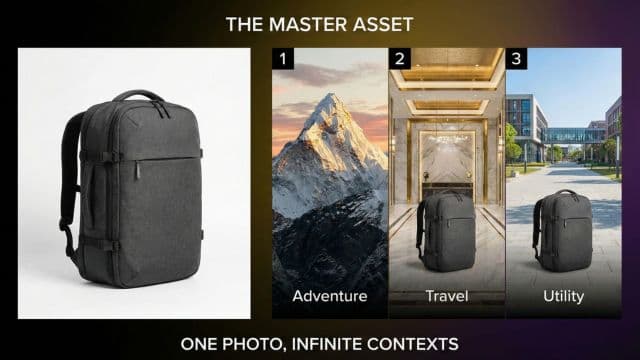
Travel the World from Home: Changing Photo Backgrounds Realistically
Transform your photos by changing backgrounds to any location. Create stunning travel content, marketing materials, and creative portraits without leaving home.
Author
Alex May
Published
Reading time
5 min read
We have all seen them: The "fake" travel photos. The lighting is wrong, the edges are jagged, and the person looks like a cardboard cutout pasted onto a stock photo of a beach.
It used to be that unless you were a Photoshop wizard with hours to spare, changing a background was a recipe for disaster.
But in 2025, AI has cracked the code on contextual relighting. We have stress-tested the latest models against challenging lighting scenarios—like backlit sunsets and neon street signs—and they can now understand the light in the new scene and blend your subject into it seamlessly.
It is effectively digital teleportation. Here is how to do it without looking fake.
The "Light Match" Rule
The #1 reason background swaps look fake is lighting mismatch.
If your selfie was taken in your living room with a warm lamp on your left, and you paste yourself onto a beach with the sun on the right, your brain instantly screams "FAKE!"
How to cheat the system:
- Match the Source: If you want to be on a sunny beach, take your selfie outside in the sun.
- Match the Direction: If the sun is coming from the left in your background photo, make sure the light is hitting your face from the left in your selfie.
3 Creative Ways to Use Background Swapping
1. The "Golden Hour" Hack
You took a great outfit photo, but it was at noon and the background is a boring parking lot.
- The Fix: Swap the background for a "Golden Hour" city street.
- Why it works: The warm tones of the sunset background will naturally blend with skin tones, hiding minor imperfections in the cutout.
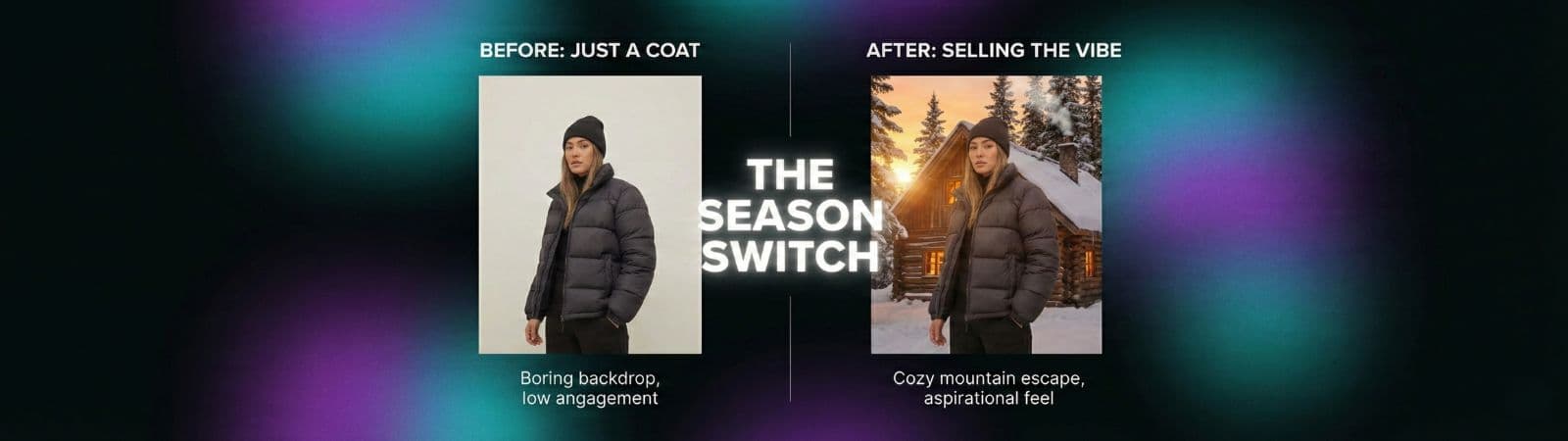
2. The "Season Switch"
You are selling a winter coat on Poshmark, but it is currently July.
- The Fix: Take a photo of the coat against a plain wall. Swap the background for a snowy mountain or a cozy cabin interior.
- Result: You sell the "vibe," not just the item.
3. The "Studio Everywhere"
You need a professional headshot but you are in a messy bedroom.
- The Fix: Don't go to a studio. Just swap your bedroom for a "Blurred Office" or "Textured Grey Studio" background.
- Pro Tip: Add a slight Gaussian blur to the background to mimic the depth-of-field of a professional camera lens.
Step-by-Step: The 10-Second Teleport
You don't need complex masking tools anymore.
- Upload your photo to PhotoRefix's Background Generator.
- Describe the scene you want. Be specific. Instead of "beach," try "sunset beach in Bali with soft lighting."
- Generate. The AI will cut out your subject and generate a unique background that wraps around them.
Why Generative Backgrounds > Stock Photos
In the old days, you had to find a stock photo to paste behind you. The problem? Stock photos are often too sharp or have different grain structures.
Generative AI creates the background around your subject. It matches the noise pattern, the resolution, and even the focal length of your camera. It essentially "hallucinates" a world where you were actually standing there.
Conclusion
Photography has always been about capturing light. Now, it's about controlling it.
Whether you want to save a bad photo, sell a product, or just have some fun on Instagram, background swapping is the ultimate creative tool. Just remember: Light is King. Respect the light, and you can travel anywhere.