
Perfect Aspect Ratios: Why Cropping is a Thing of the Past
Stop losing your family's smiles to aggressive cropping. Learn how AI Magic Expand preserves every detail while fitting any social media format.
Author
Alex May
Published
Reading time
6 min read

We've all been there: you finally get that perfect family photo where everyone is actually looking at the camera and smiling. It's a miracle! You're excited to share it, but then the platform wars begin.
Instagram wants a perfectly balanced 1:1 square. Your Facebook cover photo needs a super-wide cinematic sweep. Your X (Twitter) feed prefers something else entirely.
When you try to fit that beautiful vertical portrait into a square or wide frame using traditional tools, you're forced to make a painful choice: do you cut off Grandma's hat, or lose half of the beautiful scenery that made the moment special?
Traditional cropping doesn't just change the size of your photo; it destroys the composition. But thanks to AI, those days of compromising your memories are over.
The "Aspect Ratio Trap"
Aspect ratio is simply the relationship between the width and height of your photo. For decades, we were stuck with whatever the camera sensor gave us—usually 3:2 or 4:3.
Today, every social platform has its own set of rules:
- Instagram Feed: 1:1 or 4:5
- Instagram Stories/TikTok: 9:16
- Facebook Cover: wide banner (start with 16:9 and keep the important content centered)
- LinkedIn Header: wide banner (start with 16:9 and crop as needed)
When you take a "Gilbert style" family photo—characterized by that warm, candid, and slightly cinematic feel—the composition is everything. Traditional cropping tools like Canva or your phone's built-in editor work by removing pixels. They slice away the edges of your story to fit a digital box. The "environment" that gave the photo its soul disappears, people become tiny specks, and you end up with heads cut off at awkward angles.
Enter Magic Expand: Outpainting for the Real World
Instead of cutting pieces off, Magic Expand uses AI "outpainting" to build new content around your original photo. It analyzes the colors, textures, and lighting of your family photo and seamlessly extends the background to match your required aspect ratio.
It's not just stretching the image; it's intelligently imagining what was just outside the frame.
Magic Expand
Don't crop your memories. Expand them to fit any platform perfectly.
Practical Comparisons
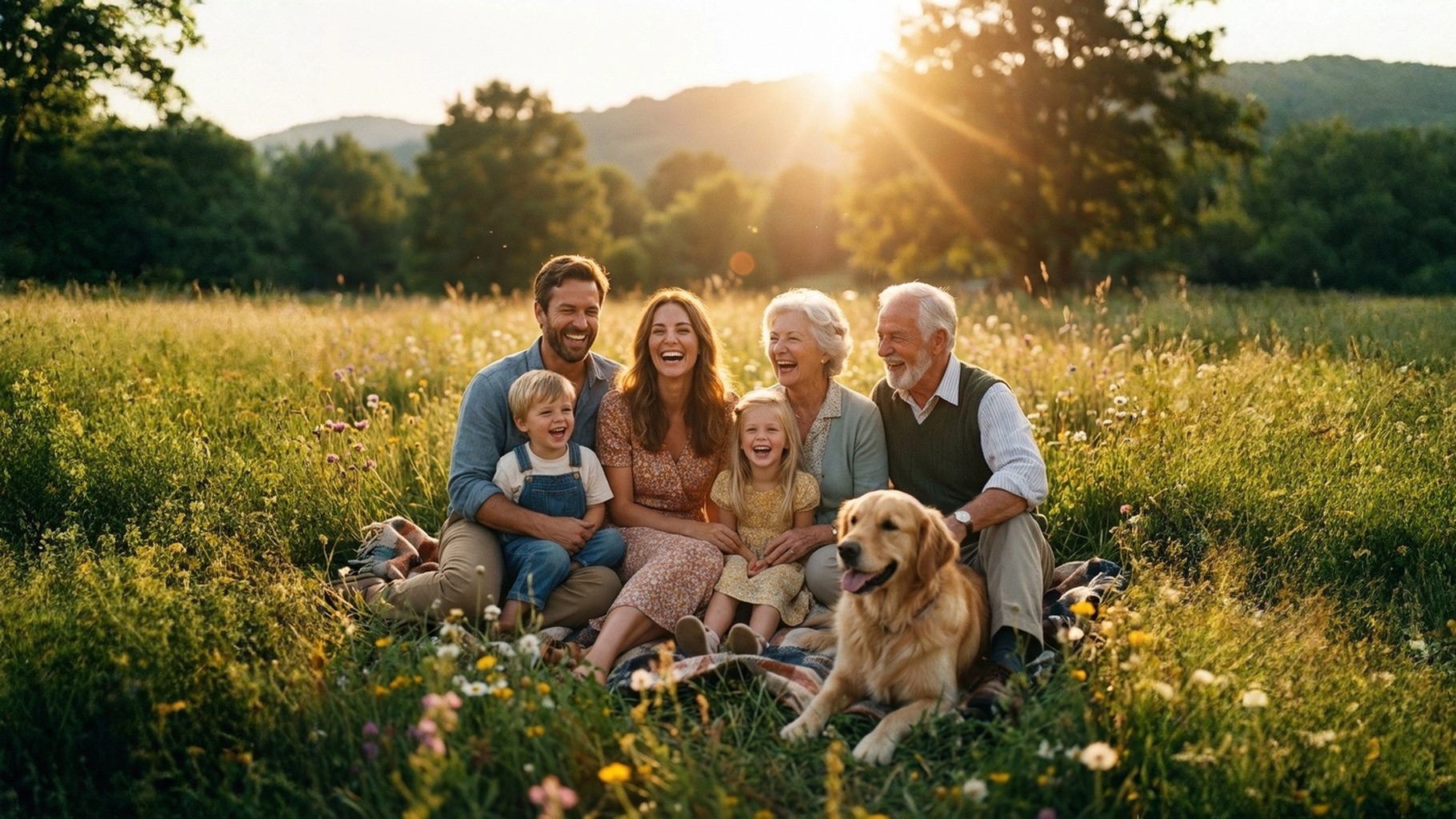
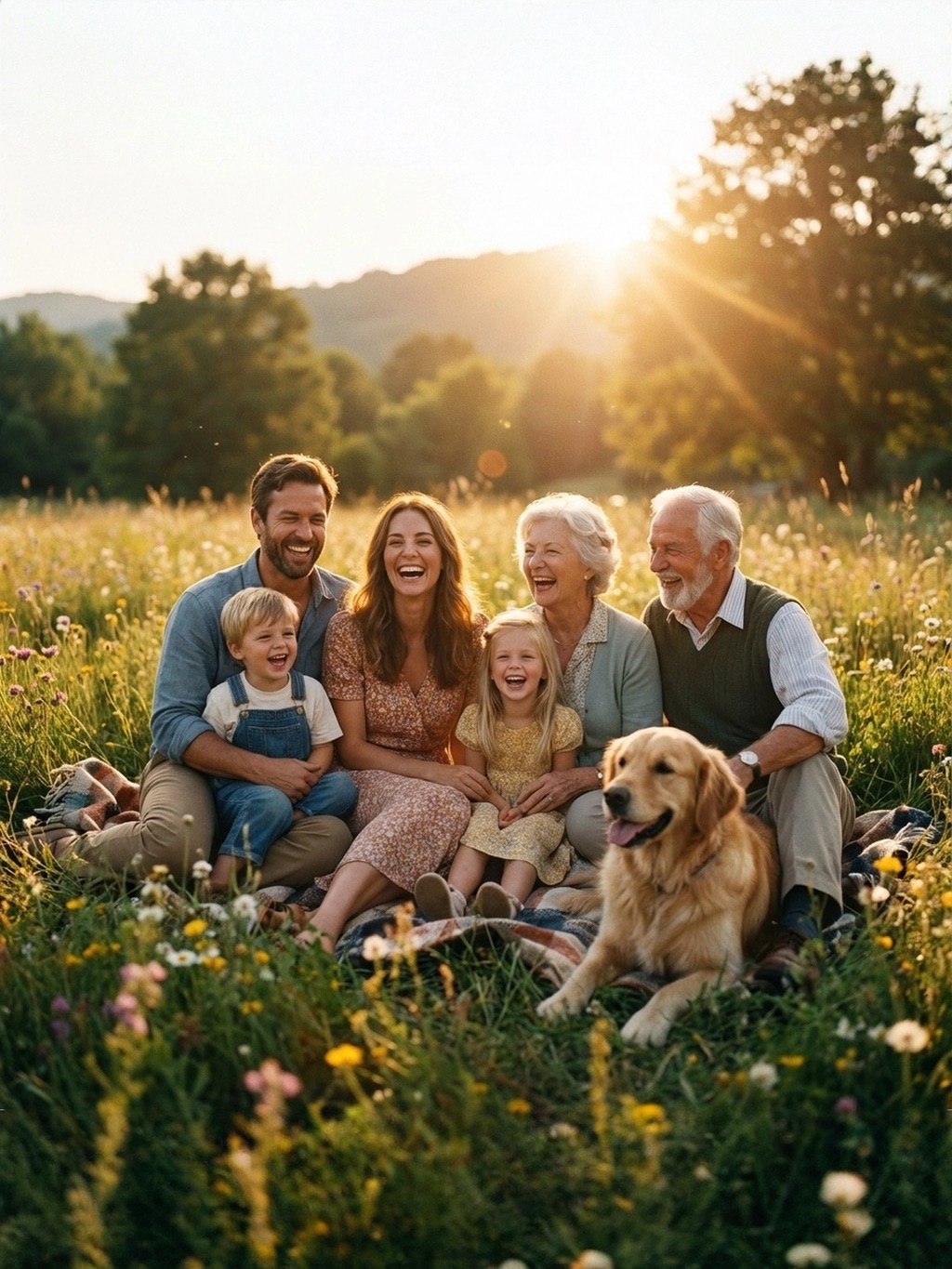
Here is how Magic Expand transforms the impossible into the perfect post:
Example: From Square to Social Ready
Original: A balanced square candid of a family (1:1).

The Problem: A square photo is great for the grid, but fails as a cinematic banner or a professional portrait print. Cropping it would mean losing the beautiful garden background or cutting into the subjects.
Cinematic Wide (16:9): Perfect for website headers or Facebook covers, adding more of the scenic garden.
Professional Portrait (3:4): Ideal for high-quality prints or blog post features, giving the family more "breathing room" vertically.
The AI Advantage for Practical Users
You don't need to be a Photoshop pro or spend hours in Canva trying to "mask" and "clone" backgrounds. Magic Expand handles the heavy lifting in seconds.
For small business owners, influencers, or just families who want their memories to look professional, AI provides a level of creative freedom that was previously only available to high-end studios.
"The true power of AI in photography isn't about creating fake images—it's about removing the technical barriers that prevent our real photos from looking their best." — AI Photography Insight
Setting Up for Success
To get the best results with Magic Expand, follow these simple tips:
- Keep it Focused: Ensure your main subjects are relatively centered if you're expanding in all directions.
- Simple Edges: AI performs best when the edges of your original photo have clean textures (like grass, sky, or simple interior walls).
- Choose Your Ratio: Think about where you're posting before you expand. One expansion to 16:9 can often be cropped down to 1:1 later without losing anything!
Magic Expand
Ready to resize without compromise? Try Magic Expand on your favorite photo.
Frequently Asked Questions
Does Magic Expand change the people in my photo?+
Can I use this for professional landscape shots?+
What is the best aspect ratio for a Facebook cover?+
Will the expanded part look fake?+
Conclusion
Your photos tell a story, and that story shouldn't be limited by the shape of a social media app. Stop letting aspect ratios dictate how you share your life.
With Magic Expand, you get the best of both worlds: the original moment you captured, perfectly framed for the digital world. Try it on your favorite family photo today and see the difference a few extra inches of AI-generated magic can make.

