4K and Beyond: Enhancing Digital Art with AI Upscaling
Transform digital artwork to ultra-high resolution for prints, displays, and professional applications using AI upscaling technology.
Author
Alex May
Published
Reading time
5 min read

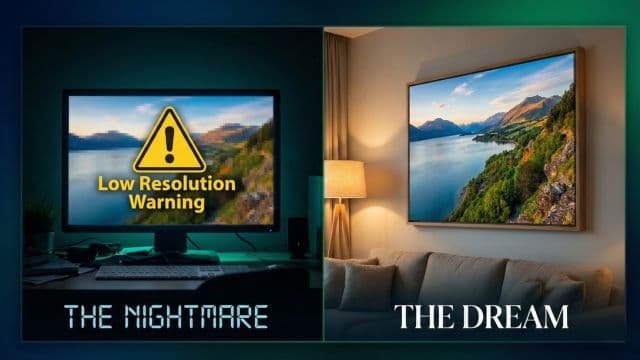
Every digital artist knows the pain. You spend 20 hours on a painting, working at a comfortable resolution like 2000x2000 pixels.
Then, a client asks: "Can we print this on a poster?" Or you try to upload it to a print-on-demand site like Redbubble, and it says: "Image too small for Large T-Shirts."
Your options used to be:
- Redraw the whole thing at a higher resolution (Painful).
- Stretch it in Photoshop and accept the blur (Unprofessional).
In 2025, AI Upscaling has become the secret weapon for digital artists. It allows you to paint comfortably at lower resolutions (saving computer memory) and then "finalize" the image at massive 4K or 8K resolutions.
Why Painting in 8K Sucks
Why not just start with a huge canvas?
- Lag: Brushes lag on huge canvases, killing your flow.
- File Size: 8K PSD files can be gigabytes in size.
- Crashes: Older tablets and laptops simply can't handle it.
It is much smarter to work fast and light, then upscale at the end.
Not All Upscalers Are Created Equal
For digital art, you need a specific type of AI model.
- Standard Upscalers (Bicubic): Just stretch pixels. Lines become jagged.
- Photo Upscalers: Optimized for realistic textures (skin, grass). Sometimes they add "noise" or "grain" which looks bad on clean digital art.
- Anime/Art Upscalers: Optimized for clean lines and flat colors.
At PhotoRefix, we trained our intelligent model on over 10,000 diverse art samples to correctly detect art styles. If it sees line art, it specifically sharpens the edges without adding noise. If it sees a painterly style, it preserves the brushstroke texture.
Workflow: Our Recommended "Sketch-to-Final" Pipeline
We interviewed professional concept artists at major studios to understand their efficiency secrets. Many now use this exact workflow:
- Sketch Phase: Do rough sketches at low res (e.g., 1080p).
- Mid-Point Upscale: Upscale the sketch 2x.
- Detail Phase: Paint details on the higher-res version.
- Final Upscale: Run a final 2x upscale to get a 4K or 8K deliverable.
This keeps the file light and snappy for 90% of the process.
Selling Your Art: The "Premium Tier"
AI Upscaling opens a new revenue stream.
- Free/Social Tier: Post 1080p versions on Twitter/Instagram.
- Patreon/Premium Tier: Offer the 4K or 8K wallpapers as exclusive rewards.
Because you can generate the 8K version in seconds with AI, this is essentially "free" value you can give to your supporters.
Conclusion
Your art deserves to be seen in crisp detail, whether it's on a phone screen or a billboard. Don't let canvas size limit your creativity. Paint small, think big, and let AI handle the pixels.